

If at your website login screen you press "forgot password?" then you can enter the mail address of your user account and press "Create new password" print.
The WordPress login screen is usually found at domain/wp-login.php, so for example https://www.jouwdomeinnaam.nl/wp-login.php,
You will receive a link in the mail to recreate the password.
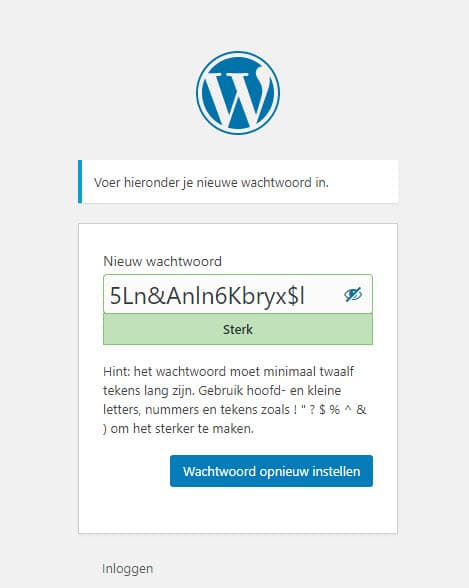
If you press this link, you can enter a new password. This may also be the suggested password, but you can also change it. Do use a unique and hard-to-remember password. Especially for admin/administrator accounts, this is strongly recommended.
Then press the blue button below this field that reads "Reset password" to confirm the password. You can do this operation as many times as you like.
Have you completely locked yourself out by not being able to access your mail either? The password and mail address can also be changed via the database if necessary. Of course, we can also help with that.