



01
Creating links to the entire shopping basket
Add one or more WooCommerce products to a link and specify the desired quantity for each product. The recipient will immediately be taken to a pre-filled shopping basket.
Make entire WooCommerce shopping baskets shareable with a single smart URL.
Create a shopping basket link in just a few seconds, with pre-selected products, variants, quantities and discount codes. When a customer opens the link, the entire shopping basket is automatically filled, and the customer can proceed straight to the shopping basket or checkout.
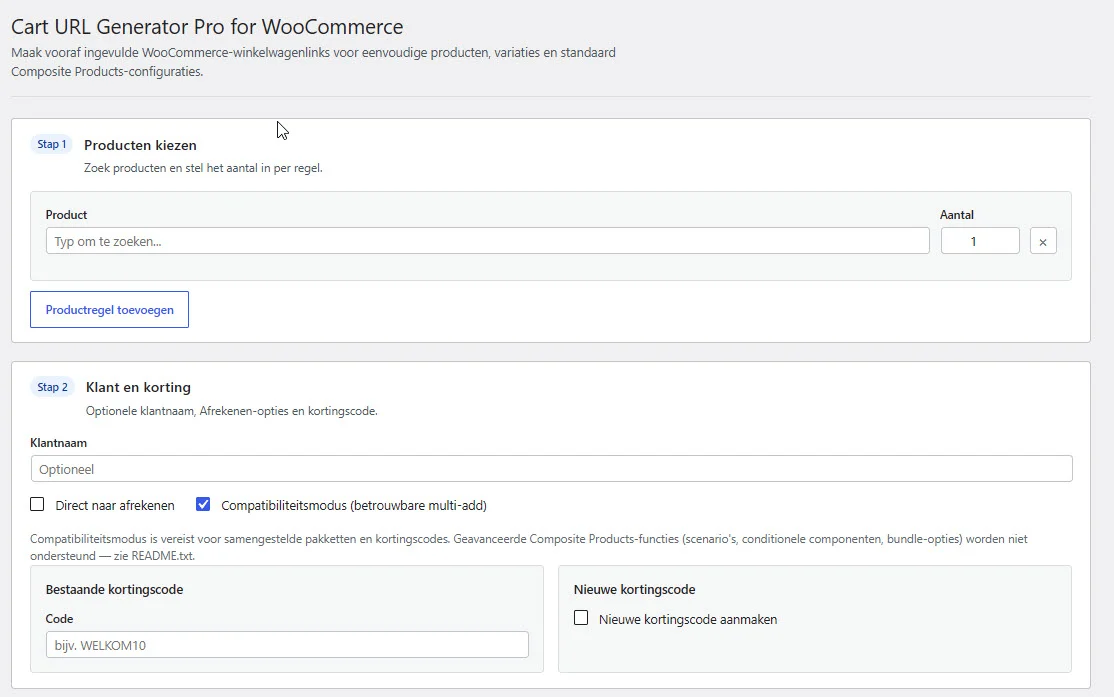
Put together a shopping basket containing products, variants, quantities and discount codes, and then share it via a single direct link. Ideal for personalised product recommendations, quotations, campaigns, customer service and B2B sales.
Bekijk de belangrijkste functies en ontdek hoe je ze in jouw webshop gebruikt.
Add one or more WooCommerce products to a link and specify the desired quantity for each product. The recipient will immediately be taken to a pre-filled shopping basket.

Select the exact product variation, such as a specific size, colour, quantity or other WooCommerce product attribute.

Add an existing WooCommerce coupon to the shopping basket link. The discount will be applied automatically when the customer opens the link.

Decide for yourself where the customer is redirected. Open the filled shopping basket or take the customer straight to the checkout.

Save frequently used shopping basket links in WordPress. Give each link a recognisable name and reuse the same structure later.

Let CRM systems, forms and bespoke applications automatically generate complete shopping basket links, including existing WooCommerce coupons. Work securely with separate API keys, rate limiting and a compact request log.
Find the products you want, select any variations and set the correct quantity for each product. Cart URL Generator Pro then automatically generates a shareable URL that reconstructs the entire shopping basket.

Choose whether the generated link takes the customer to the shopping basket or directly to the checkout. This ensures that every link is tailored to the objective of your campaign, quote or personalised product advice.

You can also create advanced shopping basket links. Select specific variations, add a WooCommerce coupon and use supported composite products within the same sales flow.

Save recurring shopping baskets as saved links. That way, you won’t have to put together frequently used product combinations over and over again, and you can keep your campaigns, recommendations and quotes neatly organised in one place.

Ontdek in welke situaties de plugin jouw webshop en klanten ondersteunt.

After a phone call, chat or consultation, send a customer a shopping basket straight away containing exactly the products and quantities you have recommended.

Link a newsletter, advert or landing page directly to a pre-configured offer in the shopping basket.

Create a specific shopping basket for business customers, containing the correct products, quantities and any discount codes.

Help customers more quickly by sending them the correct shopping basket straight away, without them having to search for products or variants themselves.

Share a ready-to-checkout shopping basket via WhatsApp, social media or a QR code and make the ordering process quicker.

Put together fixed combinations, such as complete skincare routines, starter packs or product bundles, without having to create a separate bundle product.
Bekijk de schermen en instellingen zoals je ze in WordPress gebruikt.
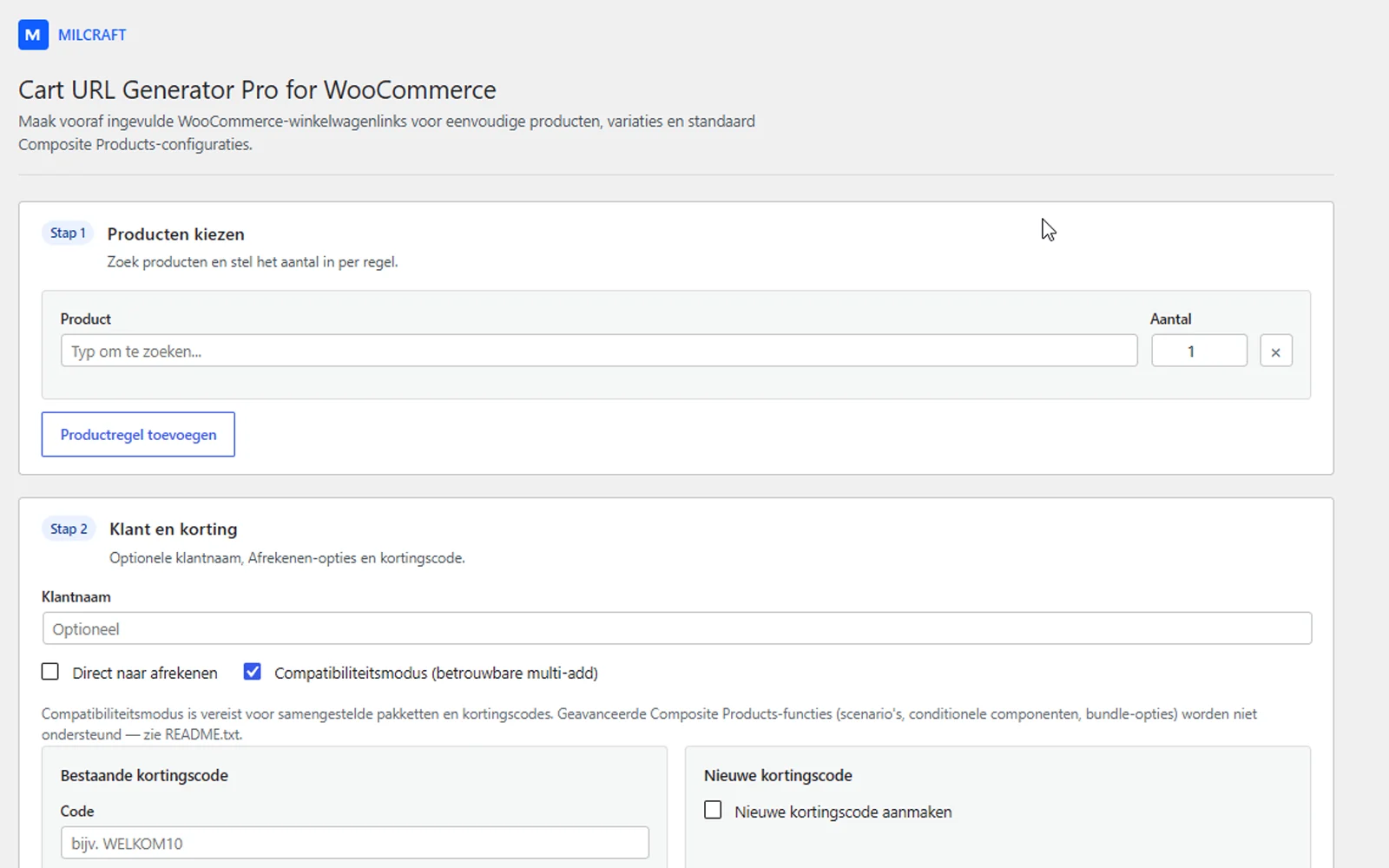
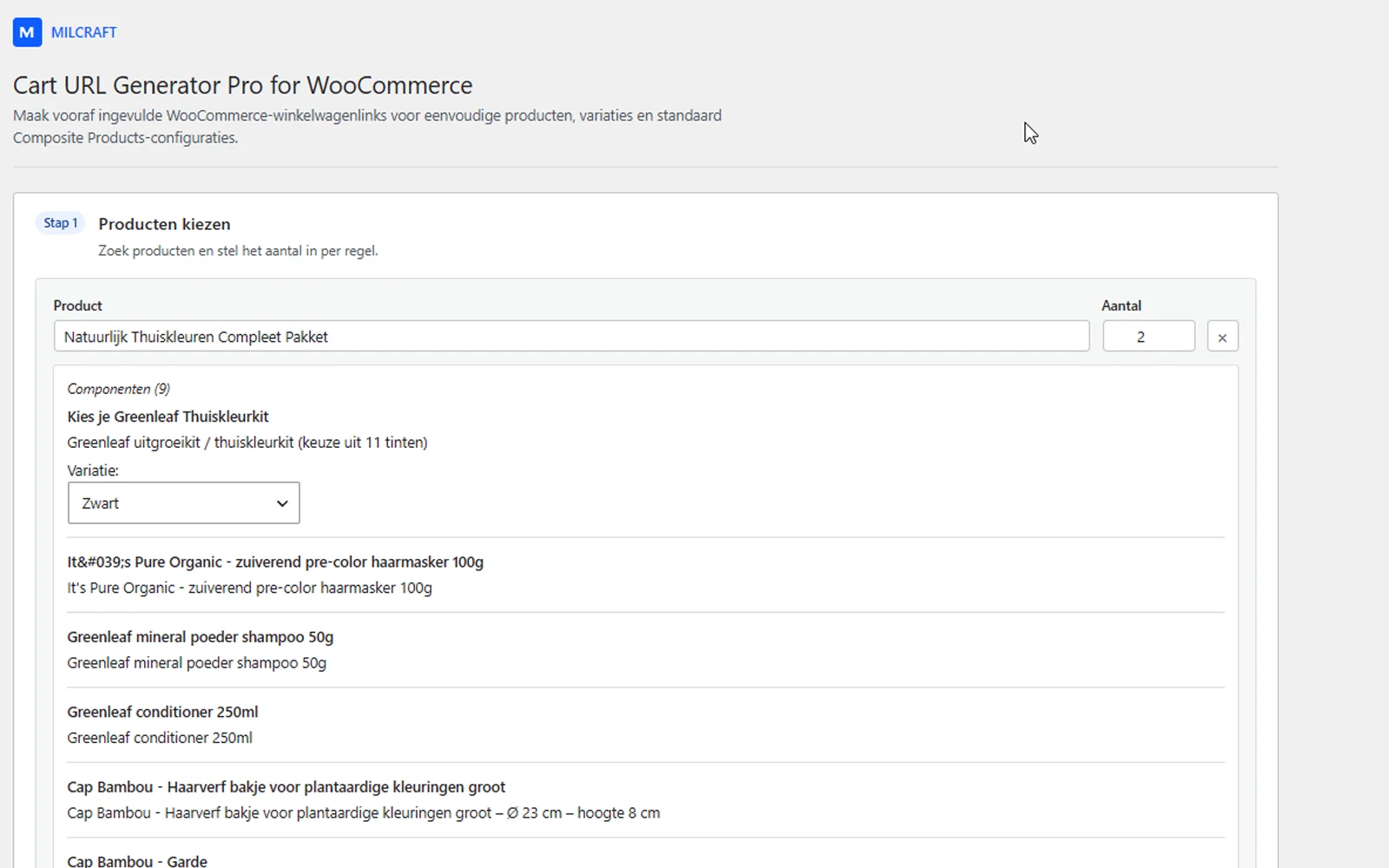

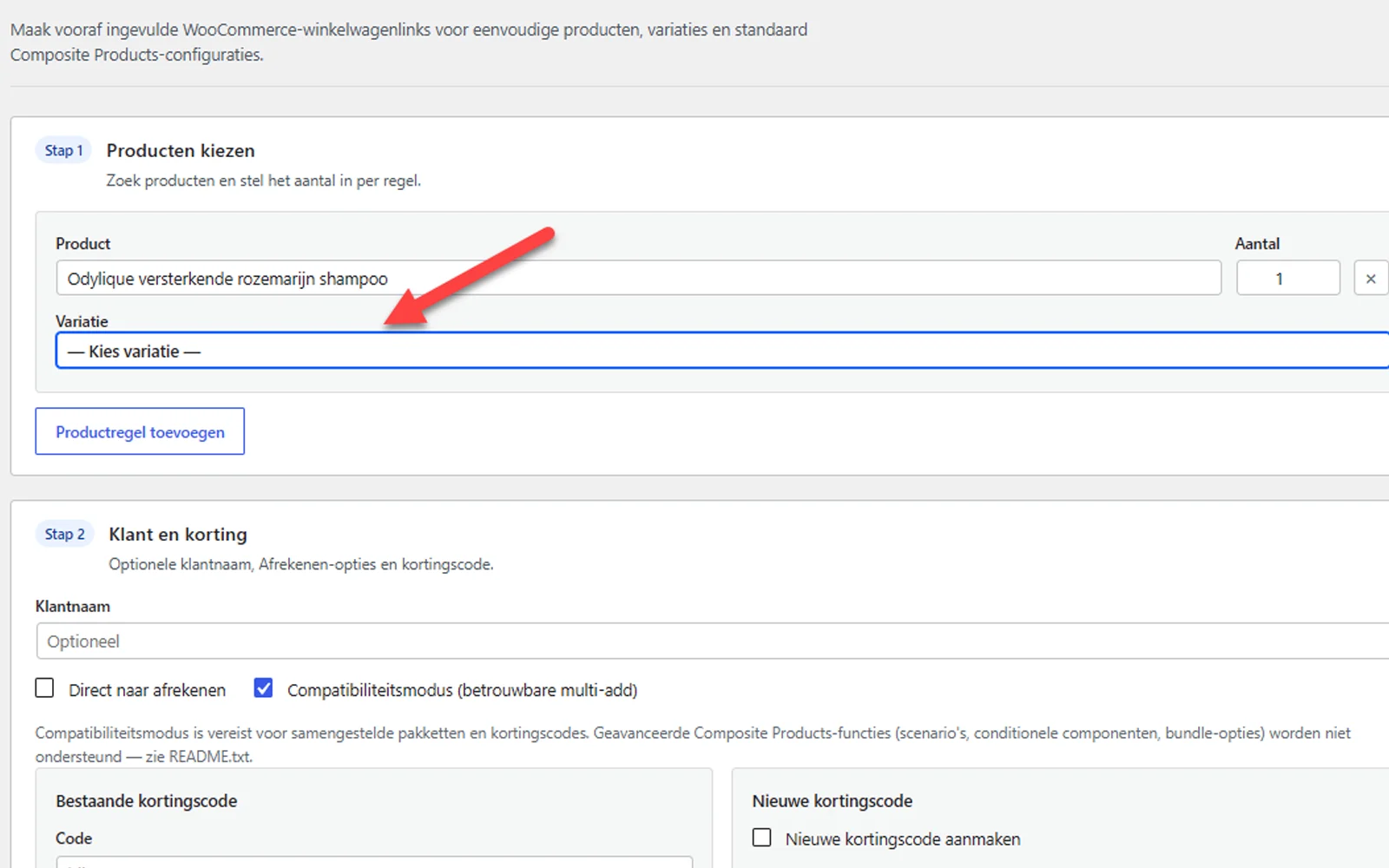
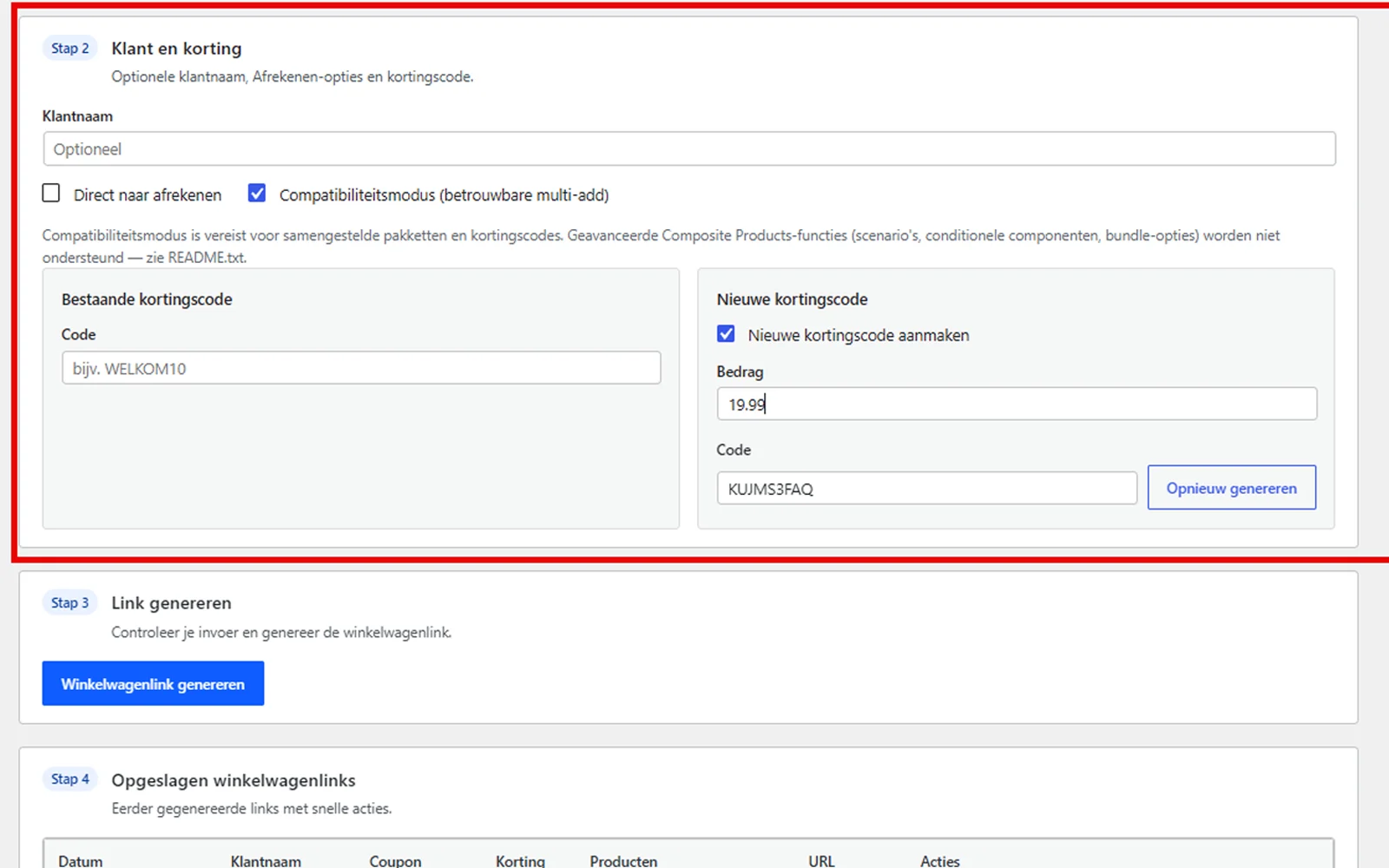

Bekijk hieronder welke onderdelen en versies worden ondersteund.
| Section | Status | Explanatory notes |
|---|---|---|
| Simple WooCommerce products | Supported | Add one or more simple products, specifying the quantities yourself, to a shopping basket link. |
| Variable WooCommerce products | Supported | Select a specific variation before the link is generated. |
| Multiple products per link | Supported | Combine different products and variants within a single shopping basket or checkout link. |
| Product quantities | Supported | Set the desired quantity for each product individually. |
| WooCommerce coupons | Supported | Automatically apply an existing discount code when the link is opened (fixed basket discount only). |
| Direct checkout links | Supported | Once the customer has filled their shopping basket, redirect them straight to the checkout. |
| WooCommerce Composite Products© | Partially supported | Supports composite products with pre-selected components, quantities and specific product variations. Configurations involving complex scenario-based dependencies, dynamically hidden components or choices that are only validated during the normal product configuration process cannot always be fully captured via a single cart URL. |
| Saved links | Supported | Save links generated in WordPress and reuse them later. |
| REST API | Supported | Create shopping basket links programmatically from external systems or bespoke applications. |
| HPOS | Supported | The plugin does not use its own order storage and works with WooCommerce High-Performance Order Storage. |
Installatie, gebruik, compatibiliteit en technische informatie op één plek.
POST-https://jouwdomein.nl/wp-json/cart-url-generator/v1/create-linkhttps://jouwdomein.nl by the address of the WordPress installation on which
the plugin is active.Content-Type: application/json
X-CUG-API-Key: cug_live_YOUR_API_KEYitems-array.| Field | Type | Compulsory | Description |
|---|---|---|---|
items | array | Yes | The products to be included in the shopping basket link. |
redirect | string | No | cart or checkout. The shopping basket is used by default. |
coupon_code | string | No | The code for an existing WooCommerce voucher. |
| Field | Type | Compulsory | Description |
|---|---|---|---|
product_id | integer | Yes | The WooCommerce product ID or, in the case of a variation, the specific variation ID. |
quantity | integer | No | The desired number. Please enter a positive integer. |
type | string | For composites only | Usage composite for a composite product. |
components | object | For composites only | The configuration for each Composite Products component ID. |
{
  "items": [
    {
 "product_id": 123,
 "quantity": 1
    }
  ],
  "redirect": "cart"
}{
"items": [
{
"product_id": 123,
"quantity": 2
},
{
"product_id": 456,
"quantity": 1
}
],
"redirect": "checkout"
}product_id.{
"items": [
{
"product_id": 789,
"quantity": 1
}
],
"redirect": "checkout"
}{
"items": [
{
"product_id": 123,
"quantity": 1
}
],
"coupon_code": "WELKOM10",
"redirect": "checkout"
}{
"items": [
{
"product_id": 16004,
"quantity": 1,
"type": "composite",
"components": {
"1780264036": {
"product_id": 13007,
"quantity": 1,
"variation_id": 13043,
"attributes": {
"attribute_pa_colour": "dark blonde"
}
}
}
}
],
"redirect": "checkout"
}components are the component IDs of the relevant composite product.
The required configuration varies depending on the composite product. For a variable component,
variation_id and the associated attributes are required.curl --request POST \
--url "https://jouwdomein.nl/wp-json/cart-url-generator/v1/create-link" \
--header "Content-Type: application/json" \
--header "X-CUG-API-Key: cug_live_YOUR_API_KEY" \
--data '{
"items": [
{
"product_id": 123,
"quantity": 1
}
],
"redirect": "checkout"
}'const response = await fetch(
"https://jouwdomein.nl/wp-json/cart-url-generator/v1/create-link",
{
method: "POST",
headers: {
"Content-Type": "application/json",
"X-CUG-API-Key": process.env.CUG_API_KEY
},
body: JSON.stringify({
items: [
{
product_id: 123,
quantity: 1
}
],
redirect: "checkout"
})
}
);
const data = await response.json();
if (!response.ok) {
throw new Error(data.message || "The shopping basket link could not be created.");
}
console.log(data.url);$response = wp_remote_post(
'https://jouwdomein.nl/wp-json/cart-url-generator/v1/create-link',
[
'timeout' => 20,
'headers' => [
'Content-Type' => 'application/json',
'X-CUG-API-Key' => getenv( 'CUG_API_KEY' ),
],
'body' => wp_json_encode(
[
'items' => [
[
'product_id' => 123,
'quantity' => 1,
],
],
'redirect' => 'checkout',
]
),
]
);
if ( is_wp_error( $response ) ) {
throw new RuntimeException( $response->get_error_message() );
}
$status = wp_remote_retrieve_response_code( $response );
$data = json_decode( wp_remote_retrieve_body( $response ), true );
if ( $status = 300 || empty( $data['url'] ) ) {
throw new RuntimeException(
isset( $data['message'] )
? $data['message']
: 'The shopping basket link could not be created.'
);
}
$cart_url = $data['url'];{
"success": true,
"url": "https://jouwdomein.nl/?cug_add=...",
"meta": {
"items": 1,
"redirect": "checkout",
"coupon_applied": false
}
}url. Do not manually create or modify the generated URL,
as the plugin uses it to record the validated product configuration.{
"code": "cug_invalid_items",
"message": "The items array is required and must not be empty.",
"data": {
"status": 400
}
}code for technical error handling. The text in message
can be used for logging or by an administrator, but does not need to be displayed to end users
in its original form.| Status | Meaning | Recommended action |
|---|---|---|
200 | The shopping basket link has been created. | Read the full article url. |
400 | The JSON body or product configuration is invalid. | Check the fields, product IDs, quantities and redirect value. |
401 or 403 | The API key is missing, is invalid or has been revoked. | Check the header and create a new key if necessary. |
404 | The endpoint for a specified product does not exist. | Check the URL, permalinks and product IDs. |
429 | The set request limit has been exceeded. | Please wait and try again following the Retry-After-header. |
500 | Due to an internal error, the request could not be processed. | Check WooCommerce, the WordPress logs and the API request log. |
429.
Read the HTTP header where available Retry-After and wait for at least the specified
number of seconds before trying again.Avoid aggressive automatic retries. In the event of temporary errors, it is preferable to use progressively longer
waiting times and set a maximum number of attempts.cug_add Therefore, where necessary, make use of full page caching, URL prefetching and automatic
link scanners.If a security plugin or firewall blocks REST requests, the endpoint must
/wp-json/cart-url-generator/v1/create-link remain accessible to authorised
requests with a valid API key.Do not create a broad security exception for the entire WordPress REST API. Limit any exception,
where it is truly necessary, to the specific endpoint and, where appropriate, to trusted source IP addresses.POST will be sent.Content-Type: application/json is present.X-CUG-API-Key.items is a non-empty array.Retry-After-header
and then try again.cug_add- Disable caching and prefetching for URLs.All licences include the full plugin, updates and personal support.
For a single WooCommerce online shop that wants to create comprehensive shopping basket and checkout links.
For web developers, agencies and businesses that use the plugin on multiple online shops.
For agencies and professional site administrators who wish to use the plugin on an unlimited number of websites.
With Cart URL Generator Pro, you can create shareable links that automatically add one or more products to the WooCommerce shopping basket. You can pre-set products, variations, quantities and a discount code, and then direct the customer to the shopping basket or straight to the checkout.
Yes. You can combine multiple products within a single shopping basket link. You can set the desired quantity for each product individually.
Yes. The plugin supports WooCommerce product variations. When creating the link, you can select exactly which variation should be added to the shopping basket.
Yes. You can create a shopping basket link that first adds the products and then redirects the customer straight to the WooCommerce checkout.
Yes. Add an existing WooCommerce coupon to the link. When the customer opens the link, the discount code will be applied automatically, provided it is valid.
Supports composite products with pre-selected components, quantities and specific product variations. Configurations involving complex scenario-based dependencies, dynamically hidden components or choices that are only validated during the normal product configuration process cannot always be fully captured via a single cart URL.
So the real exceptions are mainly to be found here:
Yes. You can save shopping basket links and give them a recognisable name. This makes it easy to copy and share frequently used product combinations again later.
Yes. Using the built-in REST API, external applications and bespoke solutions can generate shopping basket links programmatically.
Public shopping basket links will remain part of your website’s WooCommerce functionality. Without an active licence, you will no longer receive new plugin updates or support.
No. The plugin includes a user-friendly generator within WordPress. You simply select the products and settings you want, and the link is then generated automatically for you.
Cart URL Generator Pro for WooCommerce has been developed for the standard functionality of WooCommerce and also offers support for WooCommerce Composite Products. Other extensions, such as WooCommerce Product Bundles, Product Add-Ons, Subscriptions, Bookings, Deposits, Mix and Match Products and similar plugins, are not officially supported.
With some of these plugins, the cart URL may work partially or fully, depending on how the plugin in question handles products and shopping basket data. However, we cannot guarantee compatibility in this regard and do not offer support for issues caused specifically by third-party plugins or customisations.
View new features, improvements and technical changes for each version.
Save customers from having to go through unnecessary steps and share complete WooCommerce shopping baskets via a single, simple link. Choose a licence and get started straight away with Cart URL Generator Pro for WooCommerce.