

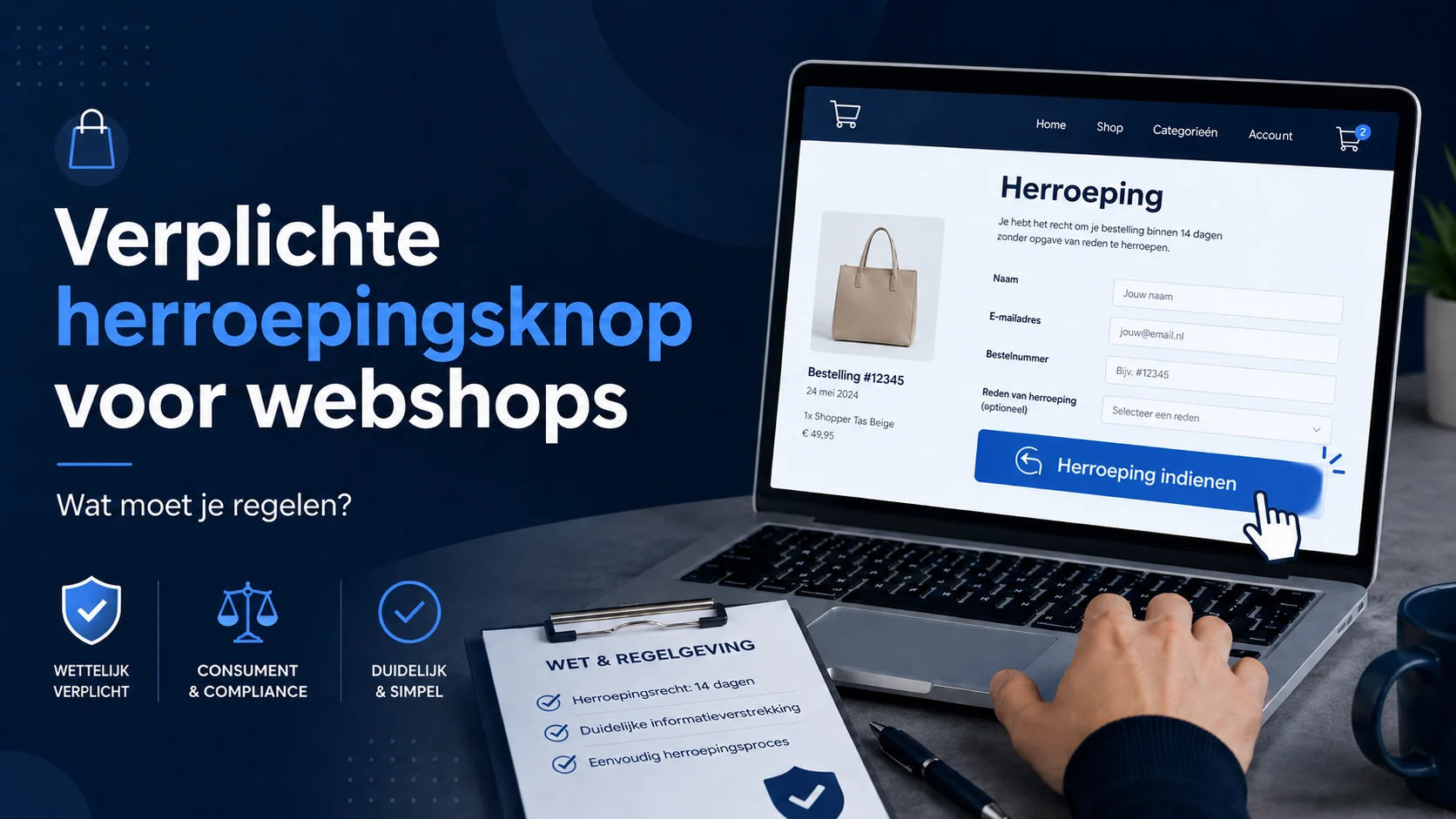
From 19 June 2026, online shops will face a new obligation: the revocation button. This may sound like yet another legal tick on the website, but in practice it does not have to be complicated. Above all, the aim is for customers to be able to revoke their order or agreement as easily as they concluded it online.
For many WooCommerce websites, this means a clear button or link that allows consumers to cancel their purchase within the legal cooling-off period. Not hidden somewhere deep in general terms and conditions, but visible and easy to use.
What is a revocation button?
The revocation button is a clear button or link on your webshop that allows a consumer to use the right of withdrawal. That right has existed for some time: consumers have a 14-day cooling-off period for many online purchases. What is new is to make the process digitally easier.
So just a return form somewhere on a page or a sentence in the general terms and conditions will soon not always be enough. The customer must be able to simply indicate that he or she wants to revoke the purchase. Then the webshop must send a confirmation that the revocation has been received.
Which websites does this apply to?
The obligation is especially relevant for online shops and providers of online services that deliver to consumers. Think of webshops with physical products, but also online services, courses, coaching programmes or digital products where consumers normally have a right of withdrawal.
Exceptions remain. Not every product or service falls under the right of withdrawal. Think, for example, of customised products, quickly perishable products or certain hygiene products whose seal has been broken. But if you sell regular products via WooCommerce to consumers, chances are you will have to deal with this.
How would I solve this practically?
My advice: keep it simple. The purpose of this change is precisely so that the customer does not have to search or go through complicated steps.
For most WooCommerce websites, a separate page with a short form is already a logical solution. For example, create a page with the title Revocation or Submit revocation. This page does not necessarily have to be prominent in the main menu, but it should be easily accessible via a clear link or button, for example in the footer, in the customer account or at the return information.
On that page, you place a form with only the data that is really needed to recognise the order and contact the customer. Think name, e-mail address and order number. You can ask for a reason for revocation if necessary, but don't make it compulsory. After all, the customer does not have to give a reason to use the right of withdrawal.
Note the text of the button
Do not simply call the form's submit button Shipping. This is too general. Rather choose clear text such as:
- Confirm revocation
- Confirm dissolution
- Submit withdrawal request
The text should make it clear to customers what is happening. This avoids confusion and better reflects the intention of the new rules.
Where do you put the revocation button?
The button or link should be clearly findable. In many webshops, the footer is a practical place because it is visible on almost every page. For example, you can put a link there with the text Submit revocation or Order revoked.
If you have space for an actual button, that is often even clearer. But a plain text link can also work, as long as the link is clearly visible and the description is clear enough.
What happens after submission?
After submission, the customer should receive a confirmation. This can be done via an automatic e-mail from the form. Make sure that confirmation states that the withdrawal request has been received, preferably with a copy of the completed details.
If you use WooCommerce very extensively for returns and order management, you can also look at a plugin that automates the process further. For many smaller webshops, however, a neat page with a good form is more manageable and quicker.
Plugin or manual?
There will be more and more plugins for WooCommerce that can handle the revocation button and the process behind it. This can be useful if you want to handle returns entirely within WooCommerce.
Still, I would not automatically choose a plugin. An extra plugin also means extra management, updates, translations and possible conflicts. If you mainly want to comply and capture the process neatly, then a private page with a form is often sufficient and much more manageable.
Don't make it a conversion killer
A revocation button might sound like you're encouraging customers to cancel, but I wouldn't see it that way. A clear return and withdrawal procedure can actually inspire confidence. Customers are more likely to order from a shop that is transparent about what happens if a purchase is not to their liking after all.
So don't just see it as an obligation, but also as a piece of professionalism. Just like good terms and conditions, a clear privacy statement and a neat checkout, this is just part of a reliable webshop.
Need help with your WooCommerce webshop?
Want to make sure your WooCommerce webshop is well prepared for the mandatory revocation button? Then Milcraft can practically set this up for you. Think of a clear revocation page, a suitable form, automatic confirmation email and a neat button or link in the right place in your webshop.
This keeps the process simple for your customer and clear for you.